Showing posts with label smartphones. Show all posts

Saturday, 27 August 2016

Special change in Siri’s latest update

The digital helper, Siri, in iPhone is one of the reasons why we love iPhones. She is smart, helpful and is capable of beating us in the battle of wits. She can perform almost all the functions of your iPhone with a single command. But is it annoying when she pronounces your name incorrectly? As smart as she is, she is not programmed to pronounce all the names in the world correctly as she is just an artificial intelligence and little flaws like this are totally acceptable.  


However, Barbra Streisand was not so accommodating when Siri mispronounced her name and being a celebrity sure has its own perks. 

What would you do when Siri mispronounces your name incorrectly? You would probably try to correct her and fail and accept the reality; but what Streisand did to fix it will definitely wish you were a celebrity too.


According to her, Siri didn’t pronounce her name correctly when show host Scott Simon asked Siri a question that would make her speak Streisand’s name during the show. This bugged her to the extent that she decided to fix it using her celebrity powers. 

"[Siri] pronounces my name wrong," she expressed. "Streisand with a soft S, like sand on the beach. I've been saying this for my whole career."

The only person who could fix it for her was, of course, the head of Apple, Tim Cook. She called him and made sure that Siri never mispronounces her name ever again. “I called the head of Apple, Tim Cook, and he delightfully agreed to have Siri change the pronunciation of my name, finally," she says.


The next update on September 30th will have the correct pronunciation of her name. You can test Siri and see it for yourself if she pronounces Streisand’s name correctly but don’t go calling Cook and expect him to fix your pronunciation as well. 

Buy iPhone accessories from owogroup.com at best prices.  

Monday, 22 August 2016

Best apps for students

Being a student is not easy; ever increasing pile of notes, project deadlines and the dreaded exam take most of your time and there’s none left for other things. You are always struggling with trying to keep up with your syllabus while squeezing some social life in your schedule. but it doesn’t have to be this difficult when you have a mini helper in your pocket. Your smartphone is a portal to a simpler life and it can also simplify your life as a student too. Here are few apps that you might find helpful if you are a student.


Coursera

If you are one of those people who is thirsty for knowledge, Coursera is the app for you. Coursera.org is a site that has many courses on different subjects that you can take. These courses are designed with the collaboration of top colleges and universities in US. extra knowledge always comes handy and with Coursera, you can take up a course anytime and the qualifications required are minimum. 

Coursera

Exam vocabulary builder

Having an intensive vocabulary is important and it helps you in all the spheres. But learning the whole dictionary is not a practical option. Exam vocabulary builder will help you build your vocabulary for exams like TOEFL and IELTS. To make it easier, the app has different modes like study, quiz and flashcards. The app uses the spaced repetition technique to help you retain whatever you learn.

Exam vocabulary builder

Quizlet

Quizlet is an app that helps you learn better using flashcards. These flashcards are study sets that are made by students on a variety of subjects. If you can’t find the subject of your choice, you can make your own study set. 

Quizlet

Evernote

Evernote is a note making app that you should definitely have if you are looking for a decent note making app. The app allows you to bookmark, compose and clip your notes. Apart from that, the app also helps you manage your to-do list. 

Evernote

Visit owogroup.com to buy the best mobile phone accessories like earphones, phone cases, pen drives and more. 

Friday, 12 August 2016

Stay safe, set up ICE contacts in your Smartphone today

When you leave your house, there’s no guarantee that will come back home in one piece. Accidents can happen to anybody despite the number of precautions you take. Every day you hear about people getting injured in accidents and count yourself lucky that it wasn’t you, but you never know when it’s going to be your turn. But that doesn’t mean you should leave it all to fate; even though you have no control over you fate, you should take precautionary steps anyway. Setting up ICE contacts in your phone is one such step you should take. 

Stay safe, set up ICE contacts in your smart phone today

ICE? What is that?

To begin with, ICE stands for In Case of Emergency contacts. These are the contacts that will help you in an emergency. If you are in some emergency, you can contact your ICE contacts to get help and if you are found unconscious, the person who found you can look up your contact list and call your ICE contacts. It is really important to have ICE contacts saved in your phone and make sure you have more than one or two ICE contacts; in case the first person doesn’t respond, you can reach out to other people in your ICE contacts.

ICE
Who should be in your ICE contacts?

The answer is quite simple; people who are close to you like your family, spouse, roommate or a close friend should be in your ICE contact list. As they are close to you, they must be aware about your medical conditions and in case they are required to answer about your medical history, they can correctly answer. 

ICE contacts

How to save these contacts?

It is obvious that if you are found unable to speak or stay conscious during an emergency, the person who found you will not be able to comprehend who to call from your contact list. For this reason, you should save the ICE contacts like “ICE-John” or “ICE 1”, “ICE 2”. It will make it easier for your savior to contact your closest people. 

ICE apps

ICE apps


Now if your phone is password protected, the contact list won’t be of any help as your phone will be not be accessible to anybody else but you. But don’t fret, there a solution for that too. Simply download ICE apps that show your ICE contacts on your locked screen in case of emergency. 

Visit owogroup.com to shop online for best mobile accessories at great prices. 

Wednesday, 10 August 2016

Cool things you didn’t know your smartphone could do

Your smart phone can do almost everything from making a call to fetch you a date. But you are yet to find out the potentialities of your smart phone. As it turns out, there are numerous of incredibly smart things your smart phone can do. Read on to find few cool things your smart phone can do. 

Smartphone

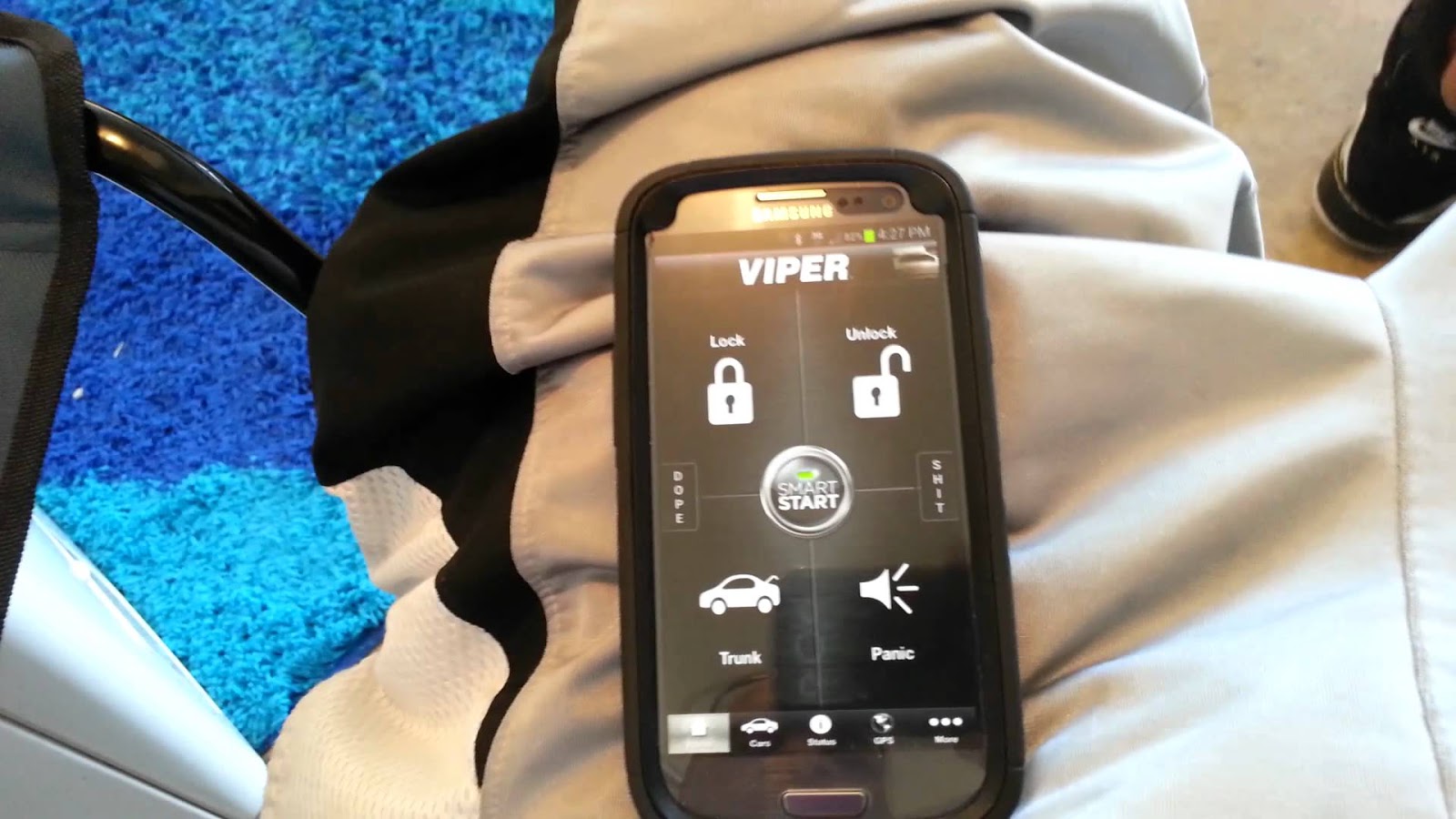
Unlock and lock your car

Say, what? Yes, you can totally lock and unlock your car using your smart phone. With the Viper SmartKey module, you can unlock and lock your car without your keys. If you are afraid of losing your keys, you should definitely try the system.

Unlock and lock your car

Check your heart rate

Instant heart Rate app allows you to check your heart rate anytime. The apps turns your smart phone into a heart rate monitor. It gives you a detailed report when you place your finger on the lens of the camera of your phone for 1 seconds. 

Check your heart rate

Project map on your windshield

Using the GPS while driving can be really unsafe especially when you are driving in the dark. Hudway is an app that projects the GPS enabled map on the windshield of your car. You don’t need any extra equipment, simply download the app and enter the destination and you can see the directions directly on your screen.

Project map on your windshield

Check for dead batteries

Did you know that you can check whether the batteries of your remote control are dead or not? If pressing the buttons and hitting your remote control hard on your palm doesn’t work, it’s time to check if the batteries are working or dead. Take your phone and open the camera app; now bring your remote control in front of the camera and press a button. If you see a pinkish or purple light emitting from the top of the phone, it means the batteries are fine and if the light is faint or hardly there, you should get up from the sofa and get some new ones.

Check for dead batteries

If you are looking to buy mobile accessories, look no further. At owogroup.com, you will find a myriad variety of mobile phone accessories that you can shop online at best prices.